

 English
 German
 French
 Russian
 Spanish
 Japanese
 Korean
 Portuguese
 Ukrainian
 Arabic
 Italian
 Afrikaans
 Albanian
 Armenian
 Azerbaijani
 Basque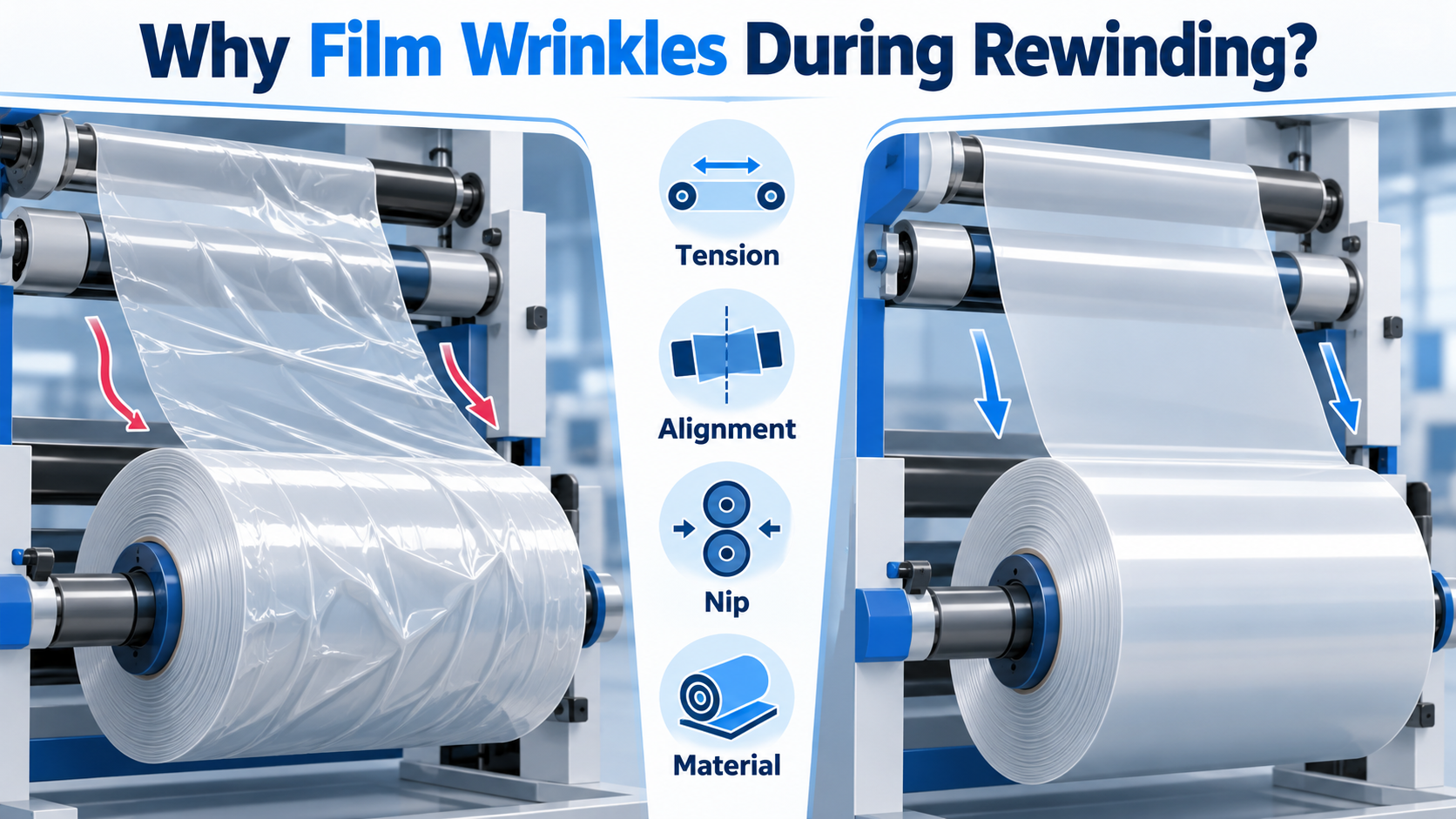
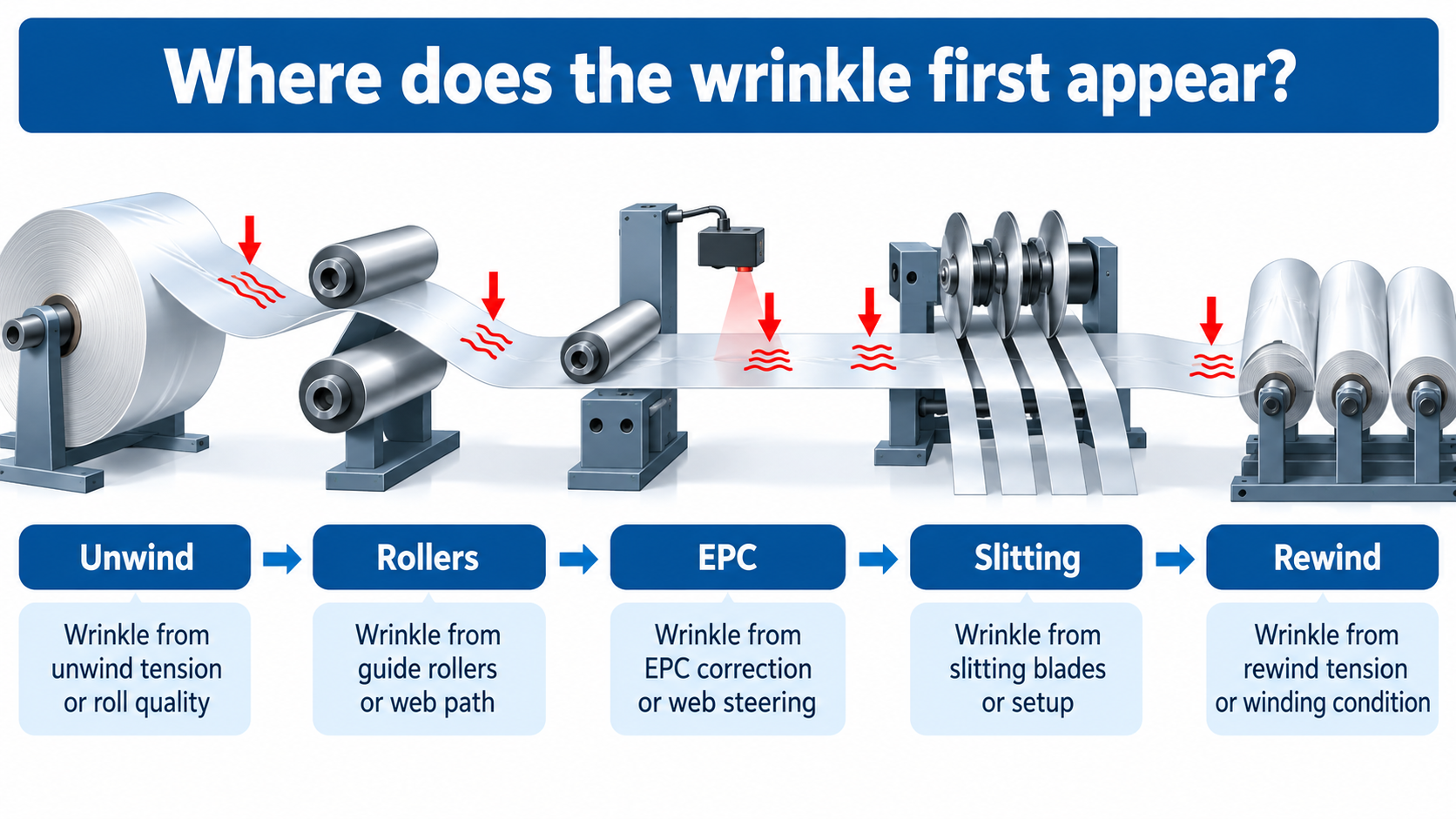
Direct answer: Film wrinkles during rewinding are usually caused by a mismatch between the web, the machine and the winding settings. Unstable or unsuitable tension is one common cause, but it is not the only one. Wrinkles can also come from a poorly wound parent roll, web wandering, roller misalignment, uneven film thickness, excessive roller deflection, incorrect lay-on or nip conditions, trapped air, long unsupported web spans, or material stretch. The fastest way to solve the problem is to identify where the wrinkle first appears and what changes when the machine speed or roll diameter changes.
A key troubleshooting rule is: do not start by increasing tension. Higher tension may temporarily pull a web flatter, but it can also stretch film, increase roller deflection or create new winding defects. Diagnose the source first, then adjust the correct variable.
Film Wrinkles at a Glance
What you see | Likely area to investigate first | Why it matters |
Wrinkle exists before the rewind roll | Unwind, web path, tension zone, rollers, material quality | The rewind is probably receiving a defect that was created upstream. |
Wrinkle starts as the film enters the rewind roll | Rewind tension, lay-on/nip condition, air entrainment, roll geometry | The winding zone may be creating or locking the wrinkle into the roll. |
Wrinkle appears only during acceleration or deceleration | Tension response, roll inertia, drive coordination | Dynamic tension variation can be much larger during speed changes. |
Wrinkle becomes worse as rewind diameter grows | Taper tension, roll hardness profile, lay-on/nip loading, material slip | The correct setting often changes as roll diameter increases. |
Wrinkle appears mostly on one side | Roller alignment, web guiding, parent-roll profile, cross-web thickness variation | A one-sided symptom often points to lateral or cross-web non-uniformity. |
Important: The table is a diagnostic starting point, not a universal rule. Several causes can exist at the same time, especially with thin PE, slippery BOPP/CPP, printed webs and laminated structures.
1. Unstable or Incorrect Web Tension
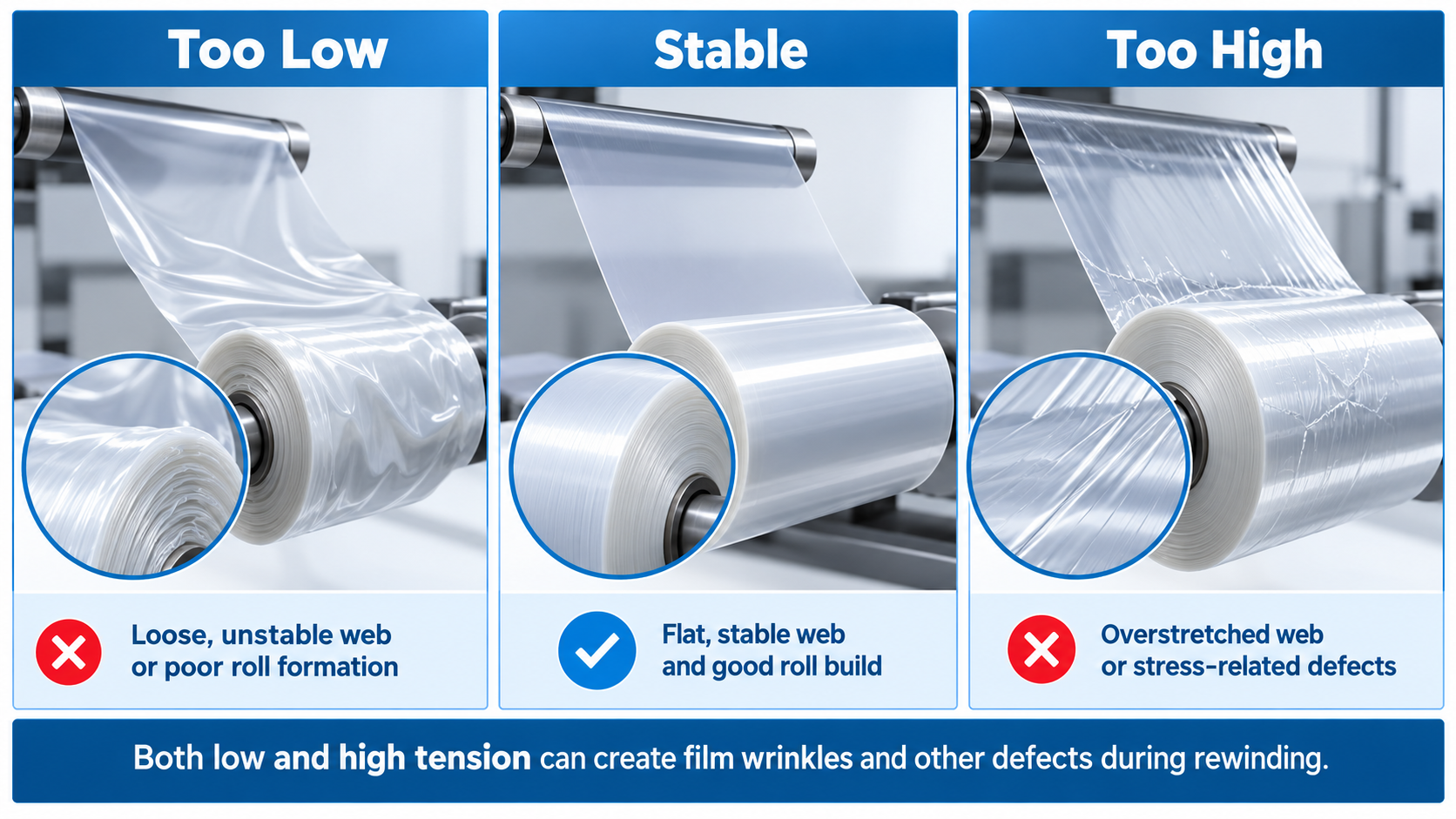
Tension is the first parameter many operators change because it is easy to access from the HMI. However, both too little and too much tension can contribute to wrinkles.
- Too little tension can allow slack lanes or web buckling before the winding point.
- Too much tension can stretch extensible films, create slack-center / tight-edge conditions, or increase roller deflection.
- Tension that changes during acceleration, deceleration or diameter change can make a wrinkle appear only at certain stages of the run.
- An aggressive taper-tension reduction can make some webs too loose as the finished roll grows.
What to check first: Compare the actual tension trend at low speed, acceleration, normal production speed and near full rewind diameter. Do not evaluate only the tension setpoint; check whether the measured web behavior remains stable during the whole run.
Related HAVESINO guide: Why Tension Control Matters in Film Slitting and Rewinding
2. The Wrinkle May Be Created Upstream, Not at the Rewind
Rewinding often makes a web defect easier to see, but the defect may have started much earlier. A wrinkle can be created at the unwind, a misaligned roller, a splice, a guiding section or a long unsupported span and then travel downstream until it becomes trapped in the finished roll.
- Check the parent roll for runout, uneven hardness, baggy lanes or damaged edges.
- Inspect whether the wrinkle first appears before or after a specific idler or driven roller.
- Check whether the splice is skewed or thicker on one side.
- Observe whether the web changes shape immediately after an EPC correction or lateral movement.
Diagnostic shortcut: Use a slow-speed run and visually follow the web from unwind to rewind. The first location where the web stops running flat is more useful than the final location where the wrinkle becomes obvious.
3. Roller Misalignment, Deflection or Excessive Drag
Film does not move through a slitter rewinder as a perfectly rigid sheet. It follows the rollers, traction and tension zones of the machine. If an idler is misaligned, rotates with excessive drag, or deflects under load, the web can experience uneven cross-web strain and begin to wrinkle.
- A misaligned roller can steer the web and create wrinkles downstream rather than exactly at the bad roller.
- Heavy or high-friction idlers can disturb light-tension thin films, especially during speed changes.
- Long rollers that deflect under high load may create uneven web support across the width.
- Contamination, damaged bearings or uneven roller surfaces can also disturb web traction.
What to check first: Check roller parallelism, free rotation, bearing condition, surface cleanliness and whether the symptom changes when tension or speed changes. Do not compensate for mechanical misalignment by simply increasing web tension.
4. Web Guiding Problems Can Create or Intensify Wrinkles
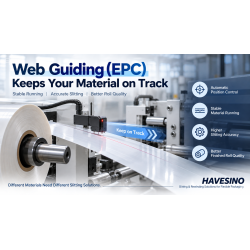
Web guiding controls lateral position, while tension controls force in the machine direction. The two systems solve different problems, but their symptoms can overlap. If the web repeatedly hunts from side to side, reaches the correction limit, or enters the next roller at an angle, wrinkling can become worse.
- Check whether the EPC sensor is tracking the correct edge or printed reference.
- Check whether correction gain is too aggressive and causing hunting.
- Check whether the incoming parent roll is so misaligned that the guide is continuously near its travel limit.
- Check whether the web is sufficiently tensioned and supported for the guide to correct smoothly.
Related HAVESINO guide: What Is Web Guiding in a Slitter Rewinder? Why EPC Accuracy Matters
5. Lay-On / Nip Pressure and Air Entrapment
As a film approaches the winding roll, air can follow the moving web into the roll. A lay-on or pressure roller can help control the winding interface, remove part of this air and influence roll hardness. But pressure that is too high, too low or uneven across the width can create other defects.
- Too little contact can allow excess air or poor layer control on some materials.
- Too much pressure can mark sensitive film, increase local stress or make gauge variation more visible in the wound roll.
- Uneven contact across the width can create different roll hardness from one side to the other.
- Lay-on pressure should be evaluated together with rewind tension and roll diameter, not as an independent setting.
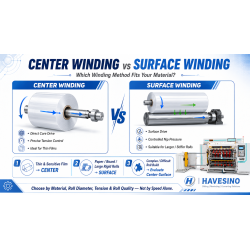
HAVESINO application note: The HN1600 flexible-packaging slitter is a duplex center-winding machine, and HAVESINO documentation for the HN1600 family includes full-width lay rollers / pressure-roll arrangements on selected configurations. The exact pressure strategy should be matched to the customer’s material and finished-roll target rather than copied from another job.
6. Film Gauge Variation, Lamination and Material Behavior
Not every wrinkle is a machine-control problem. Flexible packaging webs may have cross-web thickness variation, coating variation, adhesive build-up, printing-related thickness differences, curl or uneven stiffness. When these differences accumulate layer after layer, one lane can build faster than another and create local stress.
- Printed and laminated films may have a different thickness profile across the web.
- Slick films such as BOPP or CPP may be more prone to interlayer slip if the winding conditions are not suitable.
- Extensible PE can react strongly to tension changes and may show stretching or baggy areas.
- Material that arrives with poor parent-roll quality cannot always be corrected by the slitter rewinder.
What to check first: Compare the same machine settings with a second parent roll. If the problem follows one roll or one material batch, inspect the incoming material profile before changing multiple machine parameters.
7. Long Unsupported Web Spans and Insufficient Spreading
A wide, thin web can lose lateral stiffness over a long unsupported span. Drafts, vibration or small cross-web length differences can then become visible as bagging or wrinkles. In some processes, a properly selected spreader device or additional web support is used to flatten the web before a critical section.
Do not add a spreader blindly. The correct spreading method depends on material thickness, coefficient of friction, width, tension and whether the surface is sensitive. An unsuitable spreader can scratch, distort or over-stretch the web.
A Practical 8-Step Diagnostic Sequence
- Identify exactly where the wrinkle first becomes visible: unwind, idler, guiding section, slitting section or rewind entry.
- Run slowly and check whether the wrinkle exists before the rewind roll. If yes, do not start by changing rewind settings.
- Check the parent roll: edge condition, hardness, runout, baggy lanes and splice quality.
- Check roller alignment, bearing drag, roller cleanliness and whether any roller visibly deflects.
- Check web guiding: sensor reference, correction direction, hunting and available correction travel.
- Observe actual tension behavior during start, acceleration, normal speed, deceleration and diameter growth.
- Check lay-on / nip contact and whether roll hardness is even across the width.
- Change only one variable at a time, then document the result. Avoid changing tension, pressure, speed and guide settings simultaneously.
Symptom → Likely Cause → First Adjustment to Test
Symptom | Likely causes to investigate | First safe check / test |
Loose transverse wrinkles before rewind | Low or unstable tension; long unsupported span; poor parent roll | Stabilize the web at low speed and trace where the wrinkle first appears. |
Wrinkle only at high speed | Dynamic tension error; roller drag/inertia; vibration; insufficient support | Compare actual tension and web behavior at low vs production speed. |
Diagonal / one-sided wrinkle | Roller misalignment; web steering; cross-web gauge variation | Check roller parallelism, EPC behavior and incoming material profile. |
Wrinkles increase with roll diameter | Taper tension too aggressive; changing nip/lay-on condition; layer slip | Review tension taper and contact conditions as diameter increases. |
Wrinkle appears after EPC correction | Guide hunting; web too loose; bad sensor reference; guide near stroke limit | Reduce the problem to a slow-speed guiding test and verify the reference / correction range. |
Wrinkle appears only on one material batch | Parent-roll or material variation | Test another roll before changing the machine baseline settings. |
How HAVESINO Configures Film Slitting for Stable Rewinding
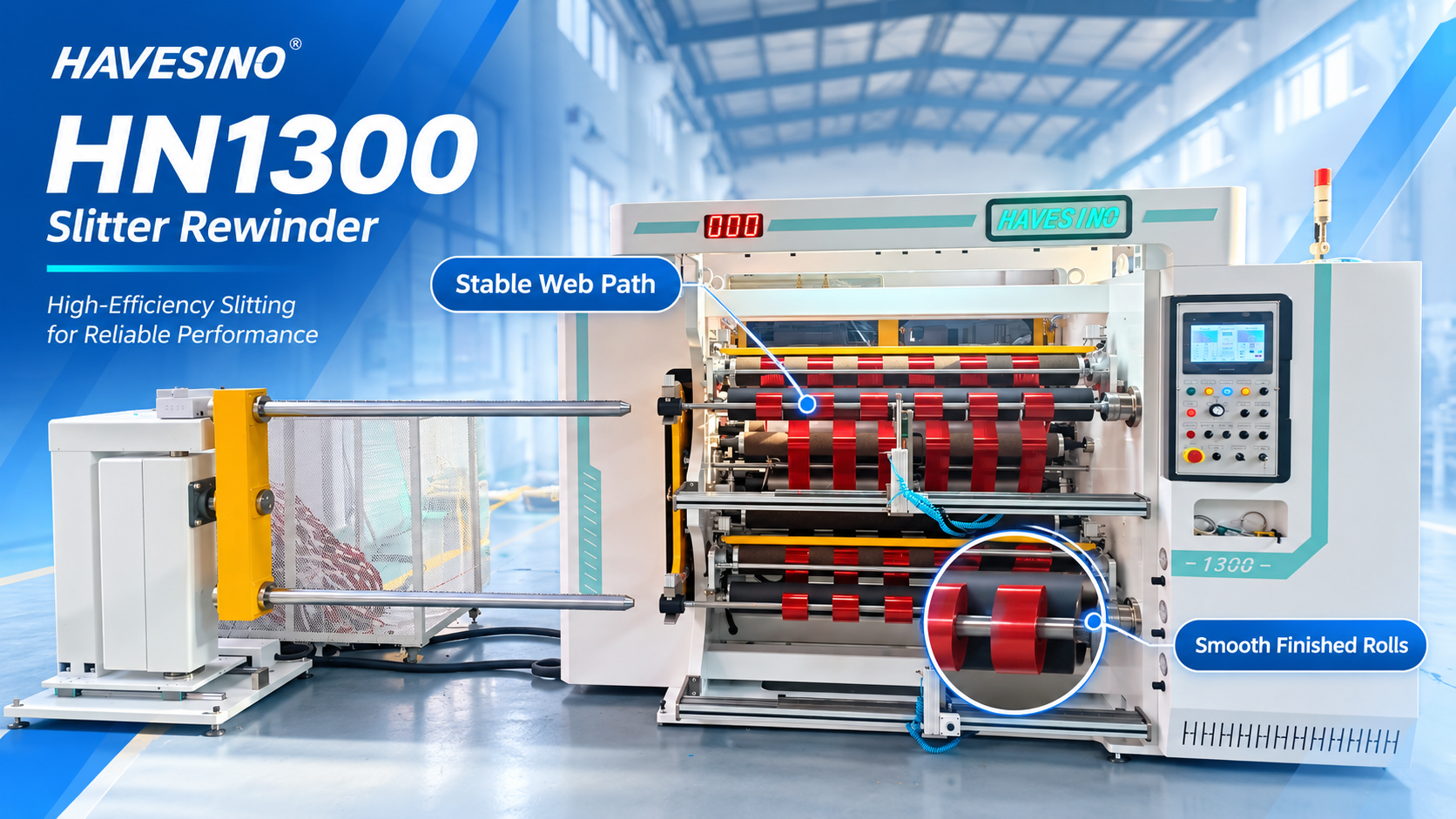
HAVESINO does not treat “wrinkle-free” as a single-component feature. Stable film rewinding comes from the complete web-handling system: unwind control, tension zones, web guiding, roller condition, slitting stability and rewind control must work together.
For standard flexible-packaging production, the HN1300 film slitter rewinder is a duplex center-winding platform with automatic tension control for films and laminates. For wider-web applications, the HN1600 slitter rewinder is also a duplex center-winding solution for flexible packaging and related materials. The correct configuration should be selected from the customer’s actual material, web width, thickness, parent-roll condition, finished-roll diameter and working speed.
The best validation is a real material trial. If a buyer already has a wrinkle problem, HAVESINO should request photos or video showing where the wrinkle begins, plus the material structure and roll specifications. That information is more useful than receiving only the sentence “the finished roll has wrinkles.”
What Information Should You Send for Wrinkle Troubleshooting?
- Material structure (for example BOPP, PET, PE, CPP, printed film or laminate).
- Material thickness and total laminate structure if applicable.
- Parent-roll width, diameter and core size.
- Finished slit width and finished-roll diameter.
- Working speed when the wrinkle first appears.
- Whether the wrinkle exists before the slitting knives or only near the rewind roll.
- Photos / video of the web path and the wrinkle under running conditions.
- Current unwind tension, rewind tension / taper setting and lay-on or pressure-roll setting if available.
FAQ
Should I increase rewind tension when film starts wrinkling?
Not automatically. Low tension can create slack and wrinkles, but excessive tension can stretch thin films, increase roller deflection or create other defects. First identify where the wrinkle starts and whether the web is already wrinkled before the rewind roll.
Why does the film look flat at low speed but wrinkle at production speed?
The problem may be dynamic rather than static. Acceleration, roll inertia, bearing drag, drive response, vibration or tension-control tuning can create larger variations at higher speed. Compare actual web behavior and tension response at both speeds.
Can EPC eliminate film wrinkles?
EPC controls lateral web position. It can reduce problems caused by web wandering, but it cannot correct every wrinkle. Tension, roller alignment, parent-roll quality, material variation and winding conditions must also be checked.
Can a lay-on roller help reduce wrinkles?
It can help control the web-to-roll interface and reduce trapped air in suitable winding applications, but pressure must be correctly set. Too much or uneven pressure can create new defects or mark sensitive films.
Why do wrinkles become worse as the finished roll gets larger?
As roll diameter grows, the correct tension and contact conditions may change. Taper tension, roll hardness, layer slip and lay-on / nip conditions should be reviewed over the full diameter range.
Is PE more difficult to rewind than PET?
They behave differently. Many PE films are more extensible and can respond strongly to tension changes, while PET is generally less extensible. The correct settings still depend on thickness, structure, surface treatment and finished-roll requirements.
Conclusion
Film wrinkles are a system problem, not a “tension knob” problem. The most effective troubleshooting method is to find where the web first stops running flat, then separate material, mechanical, guiding, tension and winding causes. Stable tension is essential, but it must work together with correct roller alignment, a suitable web path, accurate guiding and the right rewind / lay-on conditions.
If your finished film rolls show wrinkles, send HAVESINO the material structure, thickness, jumbo-roll size, finished slit width, working speed and a short video showing where the wrinkle first appears. Contact HAVESINO for a configuration or troubleshooting review based on the actual production condition.


Leave A Comment